Blog

All Marlow Heights BMW Dealer Passport BMW News Marlow Heights BMW Service BMW Information Marlow Heights Used Cars

How-To Use The Intelligent Climate Control In Your BMW

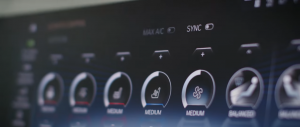
Get cozy with BMW Intelligent Climate Control inside your BMW with operating system 8. The system optimizes the interior temperature based on a range of variables including sunlight, seat occupancy, and your own climate preferences. After setting the desired temperature the best and most efficient temperature for heating and cooling is activated by the automatic climate control. Inside the first-ever BMW iX you can communicate with your BMW using a range of commands, the car can then automatically change and adjust the temperature based on your voice. Additional icons are displayed on screen for all models, to adjust specific climate settings, such as steering wheel and seat temperature.

Happy Halloween Weekend from all of us at Passport BMW

May the witches and spirits grant you all that you wished for. We wish that you have a memorable Halloween filled with loads of adventures!

Dress up in a new BMW for Halloween from Passport BMW

Passport BMW has the Largest BMW Inventory in DC Area! Click here to view our current special offers.

New and enhanced functions with Remote Software Upgrade for BMW vehicles

The BMW Group is offering its third over-the-air upgrade this year. This comprehensive Remote Software Upgrade campaign will focus on expanding and improving driver assistance functions. • Unnecessary steering interventions can be avoided with the improved Lane Departure Warning on narrowing roads without center markings, as well as calculated cornering. • See what your BMW sees: This is possible with the new Assisted View. When Active Cruise Control (ACC) is activated, the BMW recognizes the traffic situation around the vehicle in moving traffic, even in fog. This function offers more comfort and safety – now also in China. • More comprehensive data collection of traffic information via enhanced RTTI (Real-Time Traffic Information) allows BMW Maps to plan routes and predict arrival times even more precisely. more • Spotify podcast playlists are now available in the car through BMW Connected Music. Logging in via the Spotify app in the car and BMW Connected Music automatically activates this feature. • Enhanced driver detection in the vehicle ensures the correct driver profile is loaded, no matter where the vehicle key is in the vehicle. • The new BMW M Sound Control for the BMW M3 and BMW M4 promises pure emotion – whether starting the engine, changing gears, or switching between driving experience modes. In any case, a customizable interior sound and a unique BMW M Sound Experience are guaranteed. • Advanced volume control for Android smartphones connected to the vehicle via Bluetooth provides an enhanced sound experience for streaming music or podcasts.

BMW Customers With iDrive 7, Features Uneven Road Surface Warning Technology

Uneven Road Surface warning. Vehicles equipped with Live Cockpit Professional (option code 6U3) and vehicle software 20-07 and newer will be able to use the new built-in Uneven Road Surface feature, which provides useful notifications on the Instrument panel or, in vehicles so equipped, the Head-Up Display more The notifications will depict whether you are encountering a single uneven road surface or rough road area within .25 miles of the first event. Uneven road surface notifications are triggered by potholes, speedbumps, sewer covers, or other generally irregular road surfaces that would lead to less-than-optimal driving comfort. Uneven Road Surface continuously learns and automatically registers road imperfections and sends anonymized data directly to BMW, improving this feature in real-time for all BMW customers. On compatible vehicles, the Uneven Road Surface feature will be automatically added and activated at no additional cost. The ability to turn the feature on or off will be available from the main menu in the iDrive screen under the “Apps” tab.

Dress up in a BMW for Halloween during the Passport BMW Monster Pre-Owned Sales Event

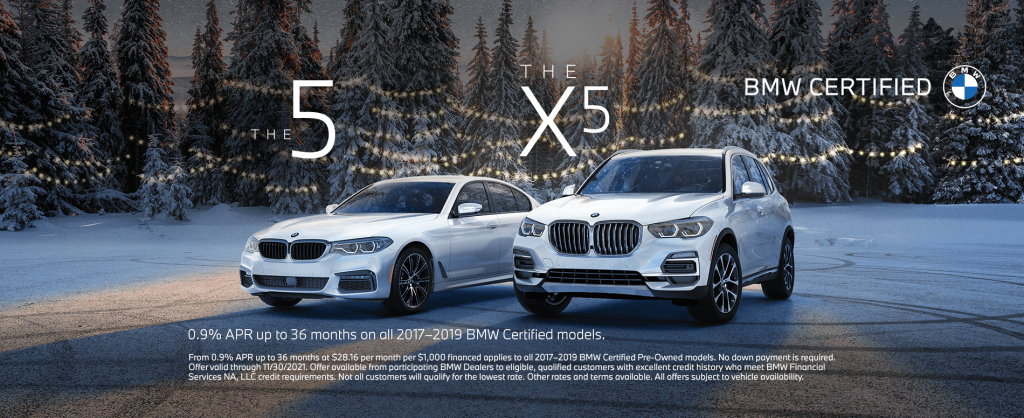
Browse our inventory of pre-owned luxury, sport, plug-in hybrid, and electric vehicles. Discover the offers on purchasing a CPO vehicle: • 0.9% APR Up to 36 months On all 2017 – 2019 BMW Certified models • 1.9% APR Up to 60 months On all 2017 – 2019 BMW Certified models • No Payments For 2 months On all 2018 BMW Certified 5 Series PHEV models • No Payments For 3 months On all 2017 – 2019 BMW Certified models Click here to browse our Pre-Owned inventory. From 0.9% APR up to 36 months at $28.16 per month per $1,000 financed applies to all 2017–2019 BMW Certified Pre-Owned models. No down payment is required. Offer valid through 11/1/2021. Offer available from participating BMW Dealers to eligible, qualified customers with excellent credit history who meet BMW Financial Services NA, LLC credit requirements. Not all customers will qualify for the lowest rate. Other rates and terms available. All offers subject to vehicle availability. From 1.9% APR up to 60 months at $17.48 per month per $1,000 financed applies to all 2017–2019 BMW Certified Pre-Owned models. No down payment is required. Offer valid through 11/1/2021. Offer available from participating BMW Dealers to eligible, qualified customers with excellent credit history who meet BMW Financial Services NA, LLC credit requirements. Not all customers will qualify for the lowest rate. Other rates and terms available. All offers subject to vehicle availability. Maximum of $500 per month for two months on all model year 2018 BMW Certified 5 Series PHEV models. Eligible vehicle must be financed through BMW Financial Services NA, LLC with 36-72 month contracts only. Credits will apply towards first and second monthly payments. Customer is responsible for any amount due in excess of the maximum credit amount. Multiple payment credits cannot be combined towards a single payment. Offer valid through 11/1/2021. Offer available from participating BMW Dealers to eligible, qualified customers with excellent credit history who meet BMW Financial Services NA, LLC credit requirements. All offers subject to vehicle availability. Delayed first payment is not available in PA or ME. Interest will accrue during 90-day period to first payment and will be due prior to maturity of the contract. This offer is available on most model-year 2017-2019 CPO BMW models with 36-to-72 month retail contracts financed through BMW Financial Services NA, LLC, excluding Select contracts. To be eligible, qualified customers must have excellent credit history and meet BMW Financial Services’ credit requirements. Not all customers will qualify. Other rates and terms available. All offers subject to vehicle availability. Offer valid through 11/1/2021.

How to Use Apple CarPlay in your BMW

Available as part of BMW ConnectedDrive, Apple CarPlay seamlessly integrates your iPhone with BMW’s iDrive 7 Operating System. Receive messages, answer calls, navigate using Apple Maps, and stream music - all with our smart car technology via the center display of your BMW luxury vehicle. Focus on the experience of driving your BMW and let our smart vehicle technology handle connecting you to your next destination.

Use your Amazon Echo with the My BMW App to stay on time, in touch, and in control with your BMW

Amazon Echo Integration Use your Amazon Echo with the My BMW App to stay on time, in touch, and in control. You can plan when to leave for your next trip, check on your fuel range, and even lock your doors remotely. USING AMAZON ALEXA IN YOUR BMW. "Alexa, what's in the news?" or "Alexa, add tea to the shopping list." With Amazon Alexa Car Integration, you have seamless access to Alexa, Amazon's cloud-based voice service. Using Alexa in your BMW is simple and hands-free -just ask, and Alexa will respond instantly. With Amazon Alexa, you can add entries to your calendar, control smart home devices, and access to overl00K+ Alexa skills. Alexa will not only respond to your questions but you will also be provided with visual feedback on the Control Display of your vehicle. more QUICK COMMANDS. With the Amazon Alexa Car Integration, you can ask to play music, place calls, listen to audiobooks, hear the news, control smart home devices, and more -all while you keep your hands on the wheel and eyes on the road. Here are just some of the ways you can start the conversation. Press the speech button on the steering wheel and say: "Alexa,… • ploy my road trip playlist." • read my Audio ebook." • when was BMW founded?" • set the house temperature to 70" • add milk to my shopping cart." • reorder dog food. • turn the lights on in the kitchen." • play pop music on Amazon Music." FREQUENTLY ASKED QUESTIONS. What is required to use the Amazon Alexa Car Integration? In addition to an Amazon account, you will need a ConnectedDrive account, the My BMW opp on your iPhone®, and a compatible vehicle, equipped with Navigation. Visit BMWUSA.com/ConnectedDrive to confirm whether your vehicle is compatible. I don't have an Alexa-enabled device at home, can I still use this feature? Yes. With Amazon Alexa Car Integration, you can turn your BMW into its own Amazon Alexa device. Can I use the Amazon Alexa Car Integration to navigate to a destination or play BMW Infotainment features? To navigate to a destination or play BMW Infotainment features, you can use your BMW Voice Control. Li. Is Alexa always listening? After set up, Alexa will only listen and respond after pressing the speech button and saying "Alexa, … " or in newer models using the wake word "Alexa, … ". For a complete list of vehicles visit BMWUSA.com/ConnectedDrive. How can I add my smart home device to the Amazon Alexa Car Integration? Smart home devices can be added by using the Amazon Alexa opp. More information can be found at https://www.amazon.com/alexasupport or by calling Amazon customer help at 1-888-280-~331. How can I disable Visual Feedback screens on my iDrive when I use Alexa? To disable visual feedback, select Amazon Alexa in the Connected Drive section of your iDrive Screen. Check the box labeled "Disable visual feedback". Disable visual feedback Tutorial Requirements Can I still connect to Alexa if my WiFi Hotspot is not active in my iDrive 77 If you are using an iPhone device and do not have an active WiFi Plan or Trial Plan linked to your BMW WiFi Hotspot, make sure your "Internet Connection" is turned off within the vehicle. This can be done by going to Com> Mobile Devices> Internet hotspot.

Introducing the next generation of the Ultimate Electric Driving Machine with the all-new, all-electric BMW iX and i4

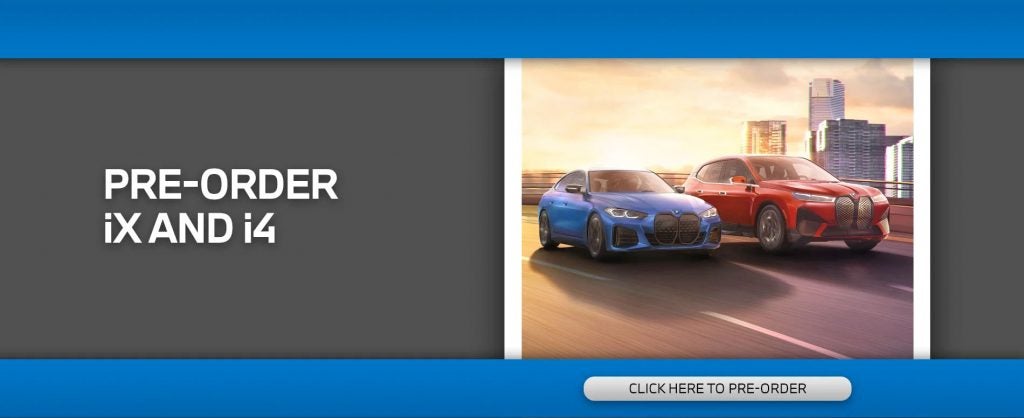
You may think you know BMW, but there's more to the Ultimate Driving Machine than you might think: It’s the Ultimate Innovation Machine, the Ultimate Thrills Machine, the Ultimate Luxury Machine, the Ultimate Room-for-the-whole-Family Machine, and the Ultimate Electric Driving Machine. The First-ever BMW iX Sports Activity Vehicle effortlessly embodies luxury with modern and spacious style. The new BMW iX emerges as the definitive all-electric Sports Activity Vehicle®. Discover all-wheel drive versatility; luxurious, elegant design with minimalist style and harmonious technology; and an impressive estimated range of 300 miles. The First-ever BMW i4 blends exhilarating power with unmatched performance. The i4 eDrive40 and M50 models redefine performance for all-electric vehicles with far-reaching range and efficiency, instant torque, and incredible engine power that generates over 500 hp. Pre-order the electric iX & i4 now! Click here.

Precondition your BMW vehicle temperature with updated Remote Engine Start on demand.

Whether you are experiencing a heatwave or bracing for the cold, Remote Engine Start lets you precondition your BMW vehicle temperature from your home or office and bring comfort and ease to your daily commute. While Remote Engine Start has been available in BMW vehicles since MY2019, it is now available as a new “Function on Demand”, available for purchase via the ConnectedDrive Store ( www.bmwusa.com/MyBMWConnectedDrive) for compatible vehicles that were not originally fitted with this option. Remote Engine Start can cool or warm your BMW prior to departure via your smartphone. It can be downloaded and installed over the air via Remote Software Upgrade. more To activate Remote Engine Start, just tap a button in the My BMW app and your BMW’s engine will start, allowing your BMW’s interior to adjust to a comfortable temperature. Remote Engine Start can also be operated using the BMW Key fob by a triple-click of the lock button. BMW’s departure timer feature ensures a comfortable cabin temperature for your desired departure time. If you are delayed, the 15-minute switch-off timer will be activated to reserve your battery and fuel. Remote Engine Start on compatible vehicles can be fully activated through the ConnectedDrive store at www.bmwusa.com/MyBMWConnectedDrive.

The Only Thing Better Than A Pre-Owned BMW? A Certified Pre-Owned BMW from Passport BMW

So what does a pre-owned BMW have to do in order to achieve Certified status? A later model with less than 60,000 miles, a Certified Pre-Owned BMW is tested against our comprehensive Certified Pre-Owned vehicle inspection checklist by a BMW-trained technician, where everything from how the engine performs to the operation of the glove box is scrutinized. And every Certified Pre-Owned BMW also comes with a vehicle history report available for viewing on your BMW center website. Click here to browse our Certified Pre-Owned inventory now.

BMW updates new technology features such as Amazon Alexa for iDrive 7, Uneven Road Surface warning, and Remote Engine Start on demand.

Amazon Alexa for iDrive 7 Amazon Alexa Car Integration for iDrive 7 allows the driver and passengers to ask Alexa to send directions, play a favorite song, remotely control their smart home and so much more, all from within their BMW. With the latest Remote Software Upgrade, drivers can enjoy seamless access to Alexa, Amazon’s cloud-based personal assistant that makes every drive more connected, entertaining, and productive. Using Alexa in your BMW is easy and hands-free. more Simply ask Alexa to play your favorite playlist, add items to your grocery list or ask for a joke and Alexa will respond instantly. Amazon Alexa Car Integration for iDrive 7 vehicles requires that the vehicle software is level 21-03 or newer. For applicable vehicles, the software version can be checked in iDrive via “Apps > Settings > General Settings > Remote Software Upgrade”. For vehicles without Remote Software Upgrade option, the vehicle’s software level may be confirmed by your BMW Center. Please note - for vehicles which require a software update to be performed at a BMW Center, additional charges may apply. Remote Engine Start on demand. Whether you are experiencing a heatwave or bracing for the cold, Remote Engine Start lets you precondition your BMW vehicle temperature from your home or office and bring comfort and ease to your daily commute. While Remote Engine Start has been available in BMW vehicles since MY2019, it is now available as a new “Function on Demand”, available for purchase via the ConnectedDrive Store ( www.bmwusa.com/MyBMWConnectedDrive) for compatible vehicles that were not originally fitted with this option. Remote Engine Start can cool or warm your BMW prior to departure via your smartphone. It can be downloaded and installed over the air via Remote Software Upgrade. To activate Remote Engine Start, just tap a button in the My BMW app and your BMW’s engine will start, allowing your BMW’s interior to adjust to a comfortable temperature. Remote Engine Start can also be operated using the BMW Key fob by a triple-click of the lock button. BMW’s departure timer feature ensures a comfortable cabin temperature for your desired departure time. If you are delayed, the 15-minute switch-off timer will be activated to reserve your battery and fuel. Remote Engine Start on compatible vehicles can be fully activated through the ConnectedDrive store at www.bmwusa.com/MyBMWConnectedDrive. Uneven Road Surface warning. Vehicles equipped with Live Cockpit Professional (option code 6U3) and vehicle software 20-07 and newer will be able to use the new built-in Uneven Road Surface feature, which provides useful notifications on the Instrument panel or, in vehicles so equipped, the Head-Up Display The notifications will depict whether you are encountering a single uneven road surface or rough road area within .25 miles of the first event. Uneven road surface notifications are triggered by potholes, speedbumps, sewer covers, or other generally irregular road surfaces that would lead to less-than-optimal driving comfort. Uneven Road Surface continuously learns and automatically registers road imperfections and sends anonymized data directly to BMW, improving this feature in real time for all BMW customers. On compatible vehicles, the Uneven Road Surface feature will be automatically added and activated at no additional cost. The ability to turn the feature on or off will be available from the main menu in the iDrive screen under the “Apps” tab.

Contact Us

Fill out this form below and we'll contact you shortly
*Required Fields