


Amazon Echo Integration
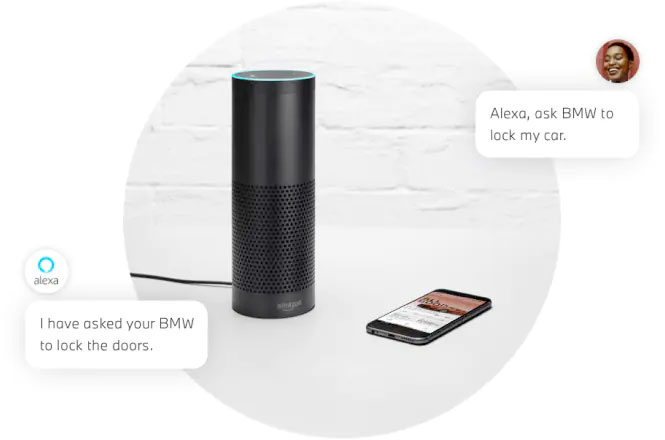
Use your Amazon Echo with the My BMW App to stay on time, in touch, and in control. You can plan when to leave for your next trip, check on your fuel range, and even lock your doors remotely.
USING AMAZON ALEXA IN YOUR BMW.
“Alexa, what’s in the news?” or “Alexa, add tea to the shopping list.” With Amazon Alexa Car Integration, you have seamless access to Alexa, Amazon’s cloud-based voice service. Using Alexa in your BMW is simple and hands-free -just ask, and Alexa will respond instantly. With Amazon Alexa, you can add entries to your calendar, control smart home devices, and access to overl00K+ Alexa skills. Alexa will not only respond to your questions but you will also be provided with visual feedback on the Control Display of your vehicle.
QUICK COMMANDS.
With the Amazon Alexa Car Integration, you can ask to play music, place calls, listen to audiobooks, hear the news, control smart home devices, and more -all while you keep your hands on the wheel and eyes on the road. Here are just some of the ways you can start the conversation. Press the speech button on the steering wheel and say:
“Alexa,…
• ploy my road trip playlist.”
• read my Audio ebook.”
• when was BMW founded?”
• set the house temperature to 70″
• add milk to my shopping cart.”
• reorder dog food.
• turn the lights on in the kitchen.”
• play pop music on Amazon Music.”
FREQUENTLY ASKED QUESTIONS.
- What is required to use the Amazon Alexa Car Integration?
In addition to an Amazon account, you will need a ConnectedDrive account, the My BMW opp on your
iPhone®, and a compatible vehicle, equipped with Navigation. Visit BMWUSA.com/ConnectedDrive to
confirm whether your vehicle is compatible. - I don’t have an Alexa-enabled device at home, can I still use this feature?
Yes. With Amazon Alexa Car Integration, you can turn your BMW into its own Amazon Alexa device. - Can I use the Amazon Alexa Car Integration to navigate to a destination or play BMW
Infotainment features?
To navigate to a destination or play BMW Infotainment features, you can use your BMW Voice Control.
Li. Is Alexa always listening?
After set up, Alexa will only listen and respond after pressing the speech button and saying “Alexa, … “
or in newer models using the wake word “Alexa, … “. For a complete list of vehicles
visit BMWUSA.com/ConnectedDrive. - How can I add my smart home device to the Amazon Alexa Car Integration?
Smart home devices can be added by using the Amazon Alexa opp. More information can be found at
https://www.amazon.com/alexasupport or by calling Amazon customer help at 1-888-280-~331. - How can I disable Visual Feedback screens on my iDrive
when I use Alexa?
To disable visual feedback, select Amazon Alexa
in the Connected Drive section of your iDrive Screen.
Check the box labeled “Disable visual feedback”.
Disable visual feedback
Tutorial
Requirements - Can I still connect to Alexa if my WiFi Hotspot is not active in my iDrive 77
If you are using an iPhone device and do not have an active WiFi Plan or Trial Plan linked to your BMW
WiFi Hotspot, make sure your “Internet Connection” is turned off within the vehicle. This can be done by
going to Com> Mobile Devices> Internet hotspot.
![[Facebook]](https://www.passportbmw.com/blogs/846/wp-content/plugins/bookmarkify/facebook.png)
![[LinkedIn]](https://www.passportbmw.com/blogs/846/wp-content/plugins/bookmarkify/linkedin.png)
![[Twitter]](https://www.passportbmw.com/blogs/846/wp-content/plugins/bookmarkify/twitter.png)
![[Yahoo!]](https://www.passportbmw.com/blogs/846/wp-content/plugins/bookmarkify/yahoo.png)
![[Email]](https://www.passportbmw.com/blogs/846/wp-content/plugins/bookmarkify/email.png)
Connect with us


