


BMW DIGITAL KEY.
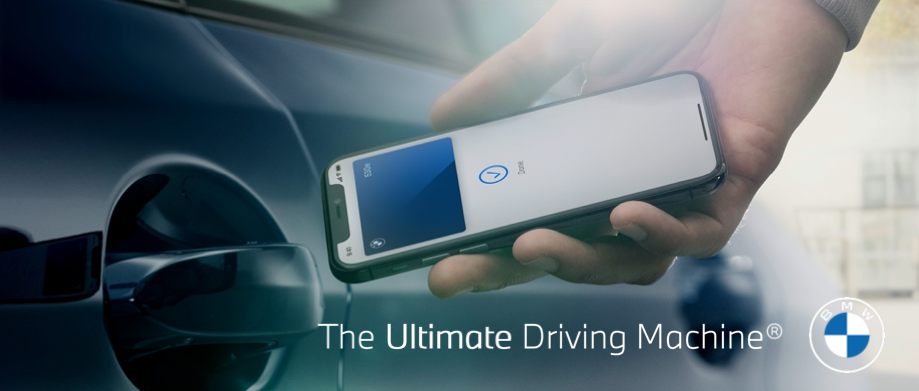
Go keyless with the BMW Digital Key. Your compatible iPhone®substitutes for your vehicle’s key fob. Simply hold it to the door handle on the driver’s side to lock and unlock or, to start the engine, you can place your iPhone in the smartphone tray with NFC sensor and push the Start/Stop button. You may also share your Digital Key with up to 5 friends or family members, with optional restrictions. These optional restrictions include top-speed limiting and setting the maximum radio volume, for example.
There are 3 ways to activate & setup this feature:
• My BMW App
• Email
• iDrive
IMPORTANT: In all cases, it is required both key fobs remain in the vehicle only during the initial pairing procedure, as well as ensuring the vehicle is not in drive ready state. Instead, the vehicle must be in Standby State.
Express Mode: This feature allows the user to lock/unlock and start the vehicle without having to first unlock their iPhone. This also allows the user to lock/unlock and start the vehicle for up to 5 hours after the iPhone battery has run out. This feature is enabled by default. T o disable, open the Digital Key in the Apple Wallet opp, tap O, switch off.
Activate BMW Digital Key via My BMW App:
- Start by logging in to the My BMW App.
- Top “BMW Digital Key” in the tile bar menu.
- Confirm both key fobs ore inside the vehicle. Top “Continue”, confirm the checked box and select “Start Pairing”.
- Place iPhone on the smortphone troy with NFC sensor and wait while Digital Key is created.
- The Digital Key con be accessed in your Apple Wallet opp, and added to your Apple Watch. It is now ready for immediate use and shoring.
BMW DIGITAL KEY. Activate BMW Digital Key via Email:
- Open email containing pairing link.
- Top on pairing link.
- Place iPhone on the smortphone troy with NFC sensor and wait while Digital Key is created.
- The Digital Key con be accessed in your Apple Wallet opp and is now ready for immediate use and shoring.
BMW DIGITAL KEY. Activate BMW Digital Key via iDrive:
- From the main iDrive home-screen, select:
Car > Settings > Doors/Access > Digital Key - Place iPhone on the smortphone troy with NFC sensor.
- You may open either the My BMW App to continue with automatic pairing, or, you may manually enter the 8-digit pairing token pin received via email.
- Please wait while Digital Key is created.
- The Digital Key con be accessed in your Apple Wallet opp and is now ready for immediate use and shoring.
Activate Key Sharing with BMW Digital Key.
- Open Apple Wallet opp on iPhone. Select your BMW Digital Key.
- Top 0, followed by “Invite”.
- Top “Invite” button once more.
- You may optionally select on Access Level, such as Restricted Driving.
This ensures the recipient of the Shored Key operates the vehicle according to your specification. Otherwise, top “Unlock & Drive” and followed by “Invite”. You will now type in a contact name or
phone number of the recipient.
The recipient must be using on iPhone running iOS 13.6 or higher. - After making this selection, send the message by topping O. Please “Confirm” your selections. After this step, you will see Invitation Pending under your recipient’s name.
Note: Once your recipient accepts, you may revoke the Digital Key at any time by topping the recipient’s name and selecting “Revoke”. Revoking a Shared Key with BMW Digital Key.
If you no longer wish to share access with a family member or friend, you can easily revoke the shared Digital Key.
With the physical vehicle key in the vehicle follow the steps:
1 In the iDrive menu navigate to “Car” followed by “Settings”.
2 Select “Doors and access”. - Under “BMW Digital Key”, select the shared key you would like to the revoke access to.
Note: For safety reasons, Revoking a Shared Key via the Wallet opp puts the Shared Key in a “pre-deletion” state. In order to complete the revocation,
a key fob must lock/unlock the vehicle first. However, if revocation is done via the iDrive, the revocation is instant.
Click here for more information.
![[Facebook]](https://www.passportbmw.com/blogs/846/wp-content/plugins/bookmarkify/facebook.png)
![[LinkedIn]](https://www.passportbmw.com/blogs/846/wp-content/plugins/bookmarkify/linkedin.png)
![[Twitter]](https://www.passportbmw.com/blogs/846/wp-content/plugins/bookmarkify/twitter.png)
![[Yahoo!]](https://www.passportbmw.com/blogs/846/wp-content/plugins/bookmarkify/yahoo.png)
![[Email]](https://www.passportbmw.com/blogs/846/wp-content/plugins/bookmarkify/email.png)
Connect with us


